
Blender for Dental 4.0 (B4D) – Complete Dental CAD Software with iBar & 17 Modules | 1-Year Access
Original price was: 1,799.00$.179.00$Current price is: 179.00$.
Software: Blender for Dental 4.0 (B4D)
Package: iBar Interface + 17 Dental Modules
Applications: Crowns, Bridges, Veneers, Models, Surgical Guides, Splints, Trays, Wax-Ups & Orthodontics
3D Workflow: STL Import & Export
Access: 1 Year – 1 Computer
Delivery: 2–7 Days
Support: Installation Instructions & Setup Support Included
Recommended for: Dental technicians, digital dental laboratories, dentists and CAD/CAM professionals.
A Complete Dental CAD Environment Built Around Blender
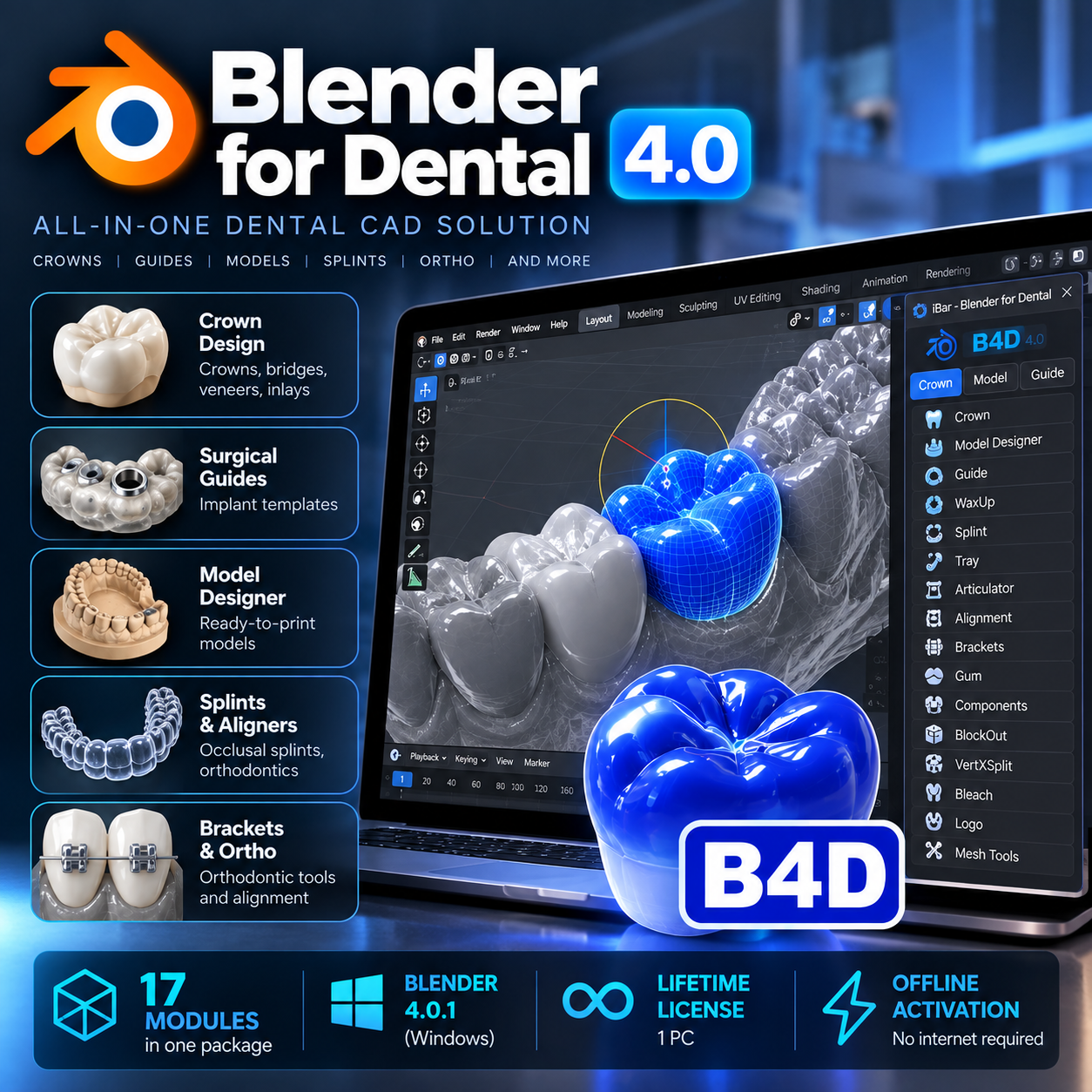
Blender for Dental 4.0 (B4D) transforms the Blender environment into a specialized digital dentistry workspace designed for dental laboratories, technicians and CAD/CAM professionals.
Instead of working with separate tools for different laboratory procedures, B4D brings a wide range of dental design workflows together within a single environment.
The package includes the dedicated iBar dental interface and 17 specialized modules, providing tools for restorative dentistry, implant planning workflows, dental models, splints, surgical guides, orthodontics and more.
What You Can Design
- Crowns and bridges
- Dental veneers
- Inlays and onlays
- Digital wax-ups
- Printable dental models
- Implant surgical guides
- Occlusal splints
- Custom impression trays
- Orthodontic appliances
- Bracket-related workflows
- Digital gingival structures
- Restorative components
- Models for 3D printing
17 Specialized Dental Modules + iBar
The B4D environment combines multiple dedicated modules covering essential digital laboratory workflows.
Crown
Digital restorative design tools for crowns, bridges, veneers, inlays and onlays.
Model Designer
Transform digital and intraoral scan data into printable dental models for laboratory and clinical workflows.
Guide
Create digital surgical guides for implant-related workflows and subsequent manufacturing.
WaxUp
Perform digital diagnostic and restorative wax-up procedures directly inside the Blender environment.
Splint
Design digital splints and occlusal appliances with control over the final geometry.
Tray
Create customized digital impression trays ready for manufacturing.
Articulator
Work with a virtual articulator as part of your digital restorative workflow.
Alignment
Tools for model positioning, alignment and preparation within the digital workspace.
Brackets
Dedicated functionality for orthodontic bracket-related digital workflows.
The complete package also contains additional dental tools and supporting modules such as VertXsplit, BlockOut, Components, Gum, Bleach and Logo.
iBar Dental Interface
At the center of the workflow is the iBar dental interface, which organizes specialized dental tools and scripts within the Blender environment.
This provides dental professionals with a workflow adapted to laboratory procedures while retaining Blender’s extensive control over 3D geometry.
Restorative CAD Workflow
Use B4D for a variety of restorative design procedures, including:
- Single crowns
- Multi-unit bridges
- Veneers
- Inlays
- Onlays
- Diagnostic wax-ups
- Digital models
Implant & Surgical Guide Workflow
The included tools support digital workflows involving implant surgical guides and related model preparation.
Designs can subsequently be prepared for compatible digital manufacturing workflows.
Digital Models & 3D Printing
Create printable dental models from digital scan data and prepare designs for external manufacturing.
STL import and export makes it possible to integrate B4D into common dental 3D-printing and milling workflows.
Splints & Custom Trays
Dedicated tools are available for creating:
- Occlusal splints
- Dental appliances
- Custom impression trays
- Other patient-specific dental components
Orthodontic Applications
B4D also includes tools for orthodontic digital workflows, including model alignment, positioning and bracket-related applications.
Full Control Over 3D Geometry
One of the key advantages of a Blender-based workflow is the ability to retain extensive control over the underlying 3D geometry.
Experienced users can combine specialized dental tools with Blender’s modeling capabilities to adjust, refine and prepare dental designs according to their workflow requirements.
STL Import & Export
Import and export STL files for integration with scanners, 3D-printing workflows, milling workflows and other compatible dental software.
What’s Included
- Blender for Dental 4.0 environment
- Dedicated B4D dental profile
- iBar dental interface
- 17 specialized dental modules
- Restorative CAD tools
- Model design tools
- Surgical guide tools
- Wax-up tools
- Splint and tray workflows
- Virtual articulator tools
- Alignment and orthodontic tools
- Installation instructions
- Setup support
- 1-year access for 1 computer
System Requirements
Minimum Requirements
- Operating System: Windows 10 64-bit
- Processor: Intel Core i5 or equivalent
- Graphics: NVIDIA GTX 1050 / AMD Radeon RX 560 or equivalent
- VRAM: 2 GB
- Memory: 8 GB RAM
- Storage: At least 5 GB available space
- Display: 1920 × 1080
Recommended Configuration
- Operating System: Windows 10/11 64-bit
- Processor: Intel Core i7 / AMD Ryzen 7 or higher
- Graphics: NVIDIA RTX 3060 / AMD Radeon RX 6700 XT or better
- VRAM: 6 GB or more
- Memory: 16 GB RAM or more
- Storage: SSD with at least 10 GB available space
- Display: 2560 × 1440 or dual-monitor configuration recommended
Delivery & Access
Delivery Time: 2–7 Days
Access Period: 1 Year
Devices: 1 Computer
Platform: Windows
Installation Support: Included
After your order is processed, you will receive the necessary access information together with installation instructions.
Who Is This Software For?
Blender for Dental 4.0 is designed for:
- Dental technicians
- Dental laboratories
- Digital dentistry professionals
- CAD/CAM designers
- Dentists using digital workflows
- Implant and restorative teams
- Orthodontic digital workflow users
One Platform for Multiple Dental CAD Workflows
From crowns and bridges to surgical guides, models, splints, wax-ups and orthodontic applications, Blender for Dental 4.0 provides a flexible environment for professionals who want to integrate multiple digital design tasks into a single platform.
17 dental modules. iBar interface. 1-year access. Installation support included.
How can I access the course after purchase?
Immediately after checkout, we email you a secure link to all materials. If you don't see the message, please check your spam or junk folder.
If you completed the order while logged in to your account, you'll also find the download links anytime in your Dashboard → Downloads section.
What payment methods are accepted for purchasing the course?
We accept a variety of payment methods, including credit cards, debit cards, and PayPal, to make your purchase convenient and secure.
How long do I have access to the course material?
Upon purchasing any of our courses, you will enjoy unlimited access to the course material. This means you can watch and revisit the videos and other resources whenever you wish, allowing for a thorough and comprehensive learning experience.
Is the course accessible on mobile devices?
Yes, our courses are designed to be accessible on both desktop and mobile devices. You can easily access the course content using a web browser on your smartphone or tablet, providing flexibility in your learning.
Is there any certification provided after completing the course?
While our courses are highly educational and designed to enhance your knowledge and skills, they do not include formal certifications. However, the valuable expertise you gain from our courses can significantly benefit your surgical practice and patient outcomes.
What is the format of the course?
All our courses are delivered in a video series format. The content is available for high-definition download, ensuring the best learning experience for you.
Do I need any special software to access the course videos?
No special software is required to access the course videos. You can conveniently download the videos online using any standard web browser on your computer or mobile device.
Can I download the course materials for offline access?
Absolutely! You will have the option to download all course materials, including lecture slides, handouts, and supplementary resources. This allows you to access the content offline whenever and wherever it suits you best.
Related products
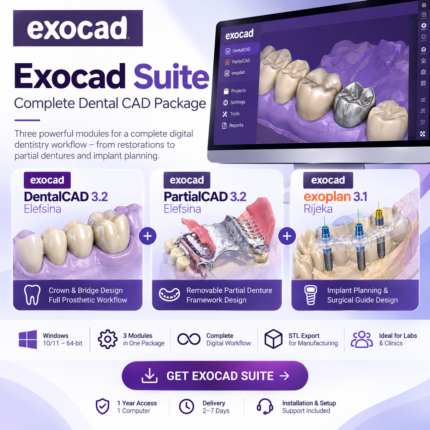
Exocad Suite – DentalCAD 3.2 Elefsina + PartialCAD 3.2 + exoplan 3.1 Rijeka | Complete Dental CAD Package
Complete Digital Dentistry Workflow in One Exocad Suite.
Exocad Suite combines DentalCAD 3.2 Elefsina, PartialCAD 3.2 and exoplan 3.1 Rijeka with a comprehensive collection of dental CAD modules for restorative dentistry, implant planning, surgical guides, removable prosthetics, digital models, splints and smile design. From crowns and bridges to implant-supported restorations, partial and full dentures, CBCT-based implant planning and surgical guides, this package provides an extensive digital workflow for modern dental laboratories and clinics. DentalCAD: 3.2 Elefsina Implant Planning: exoplan 3.1 Rijeka Partial Dentures: PartialCAD 3.2 Elefsina Included: DentalCAD + PartialCAD + exoplan + Add-On Modules Workflows: Restorative, Implant, Removable & Diagnostic CAD Platform: Windows 10/11 – 64-bit Access: 1 Year – 1 Computer Delivery: 2–7 Days Support: Installation & Setup Support IncludedRecommended for: Dental laboratories, dental technicians, prosthodontists, implantologists and digital dentistry professionals.
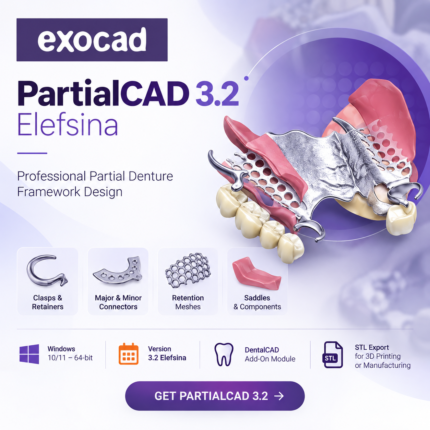
PartialCAD 3.2 Elefsina – Removable Partial Denture Framework Design | 1-Year Access
Professional Partial Denture Framework Design with PartialCAD 3.2 Elefsina.
PartialCAD 3.2 Elefsina is an advanced exocad module for the digital design of removable partial denture frameworks. Create clasps, major and minor connectors, retention meshes, saddles and other framework components directly on the patient's 3D model. Designed for dental laboratories and technicians, PartialCAD provides a streamlined digital workflow from framework design to STL export for 3D printing or manufacturing. Version: PartialCAD 3.2 Elefsina Platform: Windows 10/11 – 64-bit Software Type: DentalCAD Add-On Module Workflow: Removable Partial Denture Framework Design Core Tools: Clasps, Connectors, Meshes, Retainers & Saddles Output: STL for Digital Manufacturing Access: 1 Year – 1 Computer Delivery: 2–7 Days Support: Installation & Setup Support IncludedRecommended for: Dental technicians, prosthodontic laboratories and digital dental CAD professionals.
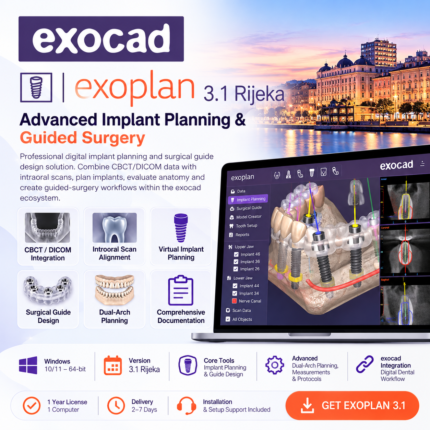
Exoplan 3.1 Rijeka – Implant Planning & Guided Surgery Software | 1-Year Access
Advanced Implant Planning & Guided Surgery with exoplan 3.1 Rijeka.
exoplan 3.1 Rijeka is a professional digital implant planning and surgical guide design solution. Combine CBCT/DICOM data with intraoral scans, virtually position implants, evaluate anatomical structures and create guided-surgery workflows within the exocad ecosystem. The Rijeka release introduces faster pre-planning, simultaneous upper and lower jaw implant planning, improved tooth setup and comprehensive guided-surgery documentation. Version: exoplan 3.1 Rijeka Platform: Windows 10/11 – 64-bit Workflow: CBCT/DICOM + Intraoral Scan Alignment Core Tools: Implant Planning & Surgical Guide Design Advanced: Dual-Arch Planning, Measurements & Guided Surgery Protocols Integration: exocad Digital Dental Workflow Access: 1 Year – 1 Computer Delivery: 2–7 Days Support: Installation & Setup Support IncludedRecommended for: Implantologists, oral surgeons, restorative dentists and digital dental laboratories.