DentalCAD Implant Lab Bundle Training
1,200.00$
Description
By booking this bundle, you save €300 compared to booking the individual add-on module training sessions separately.
Receive basic training on features and handling of DentalCAD Core Version, Virtual Articulator, Provisional Module, Implant Module, Bar Module, and DICOM Viewer:
DentalCAD core introductory training
- Intro to DentalDB: an explanation of basic features and indications, how to create a new job, material and parameter settings, and material configuration.
- How to set up and manage a simple dentalshare account and exchange projects with partners.
- Intro to DentalCAD: an explanation of basic and advanced features, the user interface including hotkeys, and wizard vs. expert mode.
- Intro to supplementary applications: ExoViewer 3D, webview, exoprint, and the Library Manager.
- Intro to the new features of exocad’s latest DentalCAD software release.
- Application in practice: designing an anatomic crown, a three-element bridge, a telescopic crown, and an inlay.
Basic Virtual Articulator
- Introduction to the basic features.
- Includes all types of articulators and parameters.
- Application in practice: Use a dynamic occlusal adaptation on a three-element bridge.
- Rearticulate models, choose which teeth influence movements, process a simulation, use the articulation during the design process, and discern the difference between static and dynamic occlusal adaptation.
Provisional Module
- Introduction to the basic features and general handling.
- Application in practice: Design a provisional crown, a provisional bridge and a provisional bridge with a missing tooth using the eggshell technique.
Implant Module
- Introduction to the basic features and general handling.
- Application in practice: Design a custom abutment with superstructure in a single design session, design a screw-retained bridge with angulated screw channel (anterior tooth).
- Switch Implant Connection on designed abutments.
Bar Module
- General handling including hotkeys.
- Explanation of the bar profile dialog.
- Application in practice: Design a bar with attachments.
DICOM Viewer
- General handling and loading of example data for visualization during the design.
- Clip the data, adjust visualization effects.
- Generate an STL from DICOM data.
- Participation is limited to the clinic or laboratory employees who booked the training.
Duration: 5:30 hours.
Important note
Please be aware that by making this purchase, you agree to schedule your training within 90 days, and to take your training within one year after receiving the scheduling link we will send to you by email. If you do not meet both conditions, you will lose the right to receive this training and any refunds related to this training.
If you have any questions, please use the contact form. We will be happy to help.
How can I access the course after purchase?
Immediately after checkout, we email you a secure link to all materials. If you don't see the message, please check your spam or junk folder.
If you completed the order while logged in to your account, you'll also find the download links anytime in your Dashboard → Downloads section.
What payment methods are accepted for purchasing the course?
We accept a variety of payment methods, including credit cards, debit cards, and PayPal, to make your purchase convenient and secure.
How long do I have access to the course material?
Upon purchasing any of our courses, you will enjoy unlimited access to the course material. This means you can watch and revisit the videos and other resources whenever you wish, allowing for a thorough and comprehensive learning experience.
Is the course accessible on mobile devices?
Yes, our courses are designed to be accessible on both desktop and mobile devices. You can easily access the course content using a web browser on your smartphone or tablet, providing flexibility in your learning.
Is there any certification provided after completing the course?
While our courses are highly educational and designed to enhance your knowledge and skills, they do not include formal certifications. However, the valuable expertise you gain from our courses can significantly benefit your surgical practice and patient outcomes.
What is the format of the course?
All our courses are delivered in a video series format. The content is available for high-definition download, ensuring the best learning experience for you.
Do I need any special software to access the course videos?
No special software is required to access the course videos. You can conveniently download the videos online using any standard web browser on your computer or mobile device.
Can I download the course materials for offline access?
Absolutely! You will have the option to download all course materials, including lecture slides, handouts, and supplementary resources. This allows you to access the content offline whenever and wherever it suits you best.
Related products
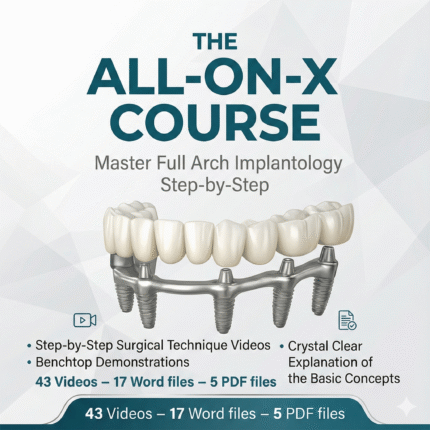

The All-on-X Course: Full Arch Implants + Implant Ninja Handbook 2nd Edition (Bonus)
 4.9 out of 5 based on 210 reviews
- Format: Step-by-Step Videos + Digital Handbook (PDF)
- Focus: Surgery, Conversion, & Restorative Workflow
- Bonus: Includes benchtop demos and complication management
- Access: Lifetime Access & Instant Download